
10 must-have pages for a small business website (2026)
What each page should include, real examples, a launch checklist and the pages you can safely skip.
Short answer: most small businesses need ten pages: Home, Services (plus one page per main service), About, Reviews, Work, Pricing, FAQ, Contact, a Blog and Legal pages. Five of those carry the sales load on launch day; the rest earn their keep within months. Below is what goes on each one, with examples, so you can brief a developer (or yourself) without guessing.
Why bother getting this right? Because your website is still where people check you out. In an April 2026 survey of 500 US consumers, 77% said they visit a business's website first before any other channel, and 72% trust a business more for having one. Every missing page is a question a customer can't answer, and an unanswered question is usually a lost enquiry.
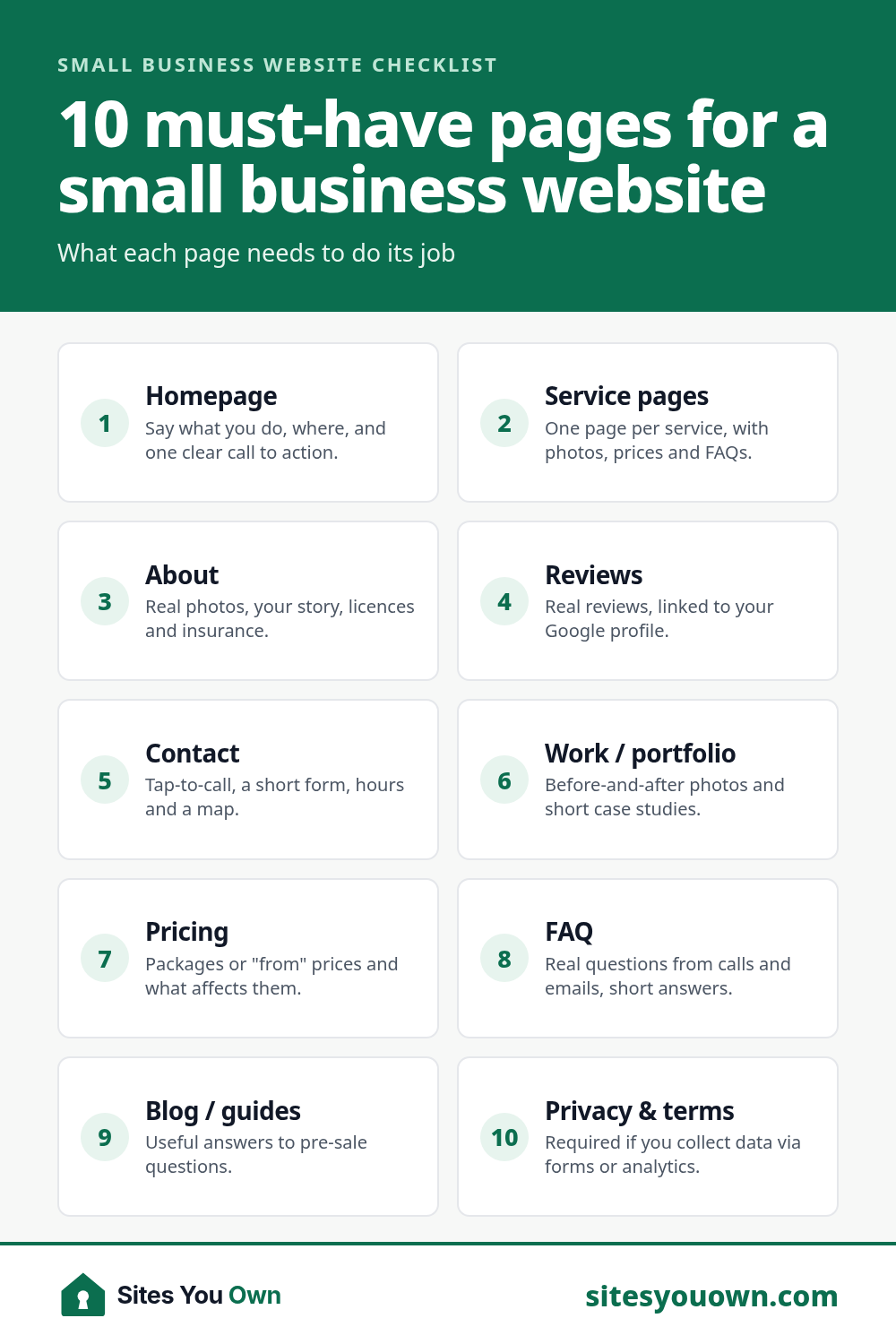
The 10 must-have pages at a glance
| Page | Its one job | Needed at launch? |
|---|---|---|
| 1. Home | Say what you do, for whom, and what to do next | Yes |
| 2. Services (+ one per service) | Turn a search into an enquiry | Yes |
| 3. About | Prove there are real, competent people behind it | Yes |
| 4. Reviews | Let other customers do the selling | Yes (or a strong section) |
| 5. Contact | Make getting in touch effortless | Yes |
| 6. Work / portfolio | Show, don't tell | Strongly recommended |
| 7. Pricing | Filter out bad-fit leads, reassure good ones | Recommended |
| 8. FAQ | Answer objections before they become a phone call | Recommended |
| 9. Blog / guides | Get found for questions, not just your name | Within 3 months |
| 10. Privacy & terms | Keep you legal and trustworthy | Yes, if you have a form |
1. Home page: your shop window
Visitors decide in seconds whether they're in the right place. Your homepage isn't the place for your life story; it's a signpost.
What to include
- A plain headline that says what you do and where: "Emergency plumber in Leeds, 7 days a week" beats "Excellence in Every Drop".
- One primary button above the fold (Call, Book or Get a quote) and the same button repeated lower down.
- A services overview linking to each service page.
- Proof: a review or two, star rating, logos of clients or accreditations.
- A short "how it works" in three steps, plus your service area.
Example: a dental clinic homepage leads with "Gentle family dentist in Croydon, new patients welcome", a "Book online" button, opening hours and a strip of Google reviews. That's it above the fold. See how this plays out on dentist websites.
2. Services page, and one page per service
This is the page most businesses under-build and the one that brings the money. People don't search for "Smith & Sons"; they search for "boiler repair near me". One page that lists twelve services in bullet points can't rank for twelve searches.
What each service page should include
- Who it's for and the problem it solves, in your customer's words.
- What's included (and what isn't).
- A starting price or a range, if you can give one.
- Photos of that specific work, not stock images of smiling handshakes.
- 3–6 FAQs specific to the service, and a clear call to action.
Example: a plumber gets separate pages for emergency call-outs, boiler installation and bathroom fitting, each with its own photos, price guide and FAQs. The plumber website guide shows a full page plan. If you want this structure done for you, it's the core of my small business website design service.
3. About page: people buy from people
The About page is often the second most visited page on a small business site, because people want to know who they're letting into their home, books or business.
What to include
- A real photo of you or your team. Yes, really. Your face is a trust signal no template can fake.
- Why you started, in a few honest sentences.
- Experience, qualifications, licences, insurance and memberships.
- What makes working with you different (be specific: "we text you a 30-minute arrival window").
4. Reviews / testimonials page
Customers trust other customers far more than they trust your marketing copy. A dedicated reviews page gives people somewhere to go when they're nearly convinced.
What to include
- Real reviews with first name, town and service ("Priya, Bristol, kitchen rewire").
- A link to your Google Business Profile so people can see you didn't write them yourself.
- Short video testimonials if you can get them; even a 20-second phone clip works.
Never invent reviews or mark up reviews with schema you don't actually have. Google's review policies are strict, and fake reviews can also break consumer-protection law in many countries.
5. Contact page: remove every bit of friction
In BrightLocal's consumer research, 85% of consumers said the presence of contact information and opening hours is an important factor when researching local businesses. It's the least glamorous page and the one that actually turns visitors into customers.
What to include
- Phone number (tap-to-call on mobile), email, and WhatsApp if your customers use it.
- A short form: name, contact, what they need. Every extra field costs you enquiries.
- Address, map and opening hours, matching your Google Business Profile exactly.
- What happens next: "I reply within 24 hours with a fixed quote."
6. Work / portfolio / case studies
Photos of finished jobs answer "can they actually do it?" better than any adjective. For builders, designers, photographers and anyone with visible output, this page is non-negotiable.
What to include
Before-and-after photos, a one-paragraph story for each project (problem, what you did, result) and a link to the related service page. Three detailed case studies beat thirty unlabelled photos. Here's how I present my own work.
7. Pricing page
Many owners fear that showing prices scares people off. In practice, a starting price or range scares off the wrong people and reassures the right ones that they're not about to be ambushed.
What to include
- Packages or "from" prices, with what each includes.
- What affects the final price, so a quote never feels random.
- Payment terms and any guarantees.
If exact prices are impossible, explain your range and offer a free quote. My own pricing page uses fixed packages, and the website cost calculator is an example of an interactive alternative.
8. FAQ page
Every question you answer on the site is a phone call you don't have to take at 9pm. A good FAQ also tends to show up in Google and in AI answers, because it matches how people actually ask.
What to include
Ten to twenty real questions from emails and calls: cost, timing, service area, parking, cancellations, guarantees. Keep answers short and link to the relevant service page. Restaurants, for example, should answer allergens, bookings, private events and parking; see the restaurant and cafe website guide.
9. Blog or guides
Not a diary, and not "We're excited to announce our new van". A small library of genuinely useful guides gets you found for the questions customers ask before they're ready to buy.
What to include
Start with three to five posts answering your most common pre-sale questions ("How much does X cost?", "X vs Y", "How to choose a…"). Two good posts a quarter beats a burst of ten and then silence. If you need a reference for what one looks like, here's my guide to small business website costs.
10. Privacy policy and terms
Boring? Absolutely. Optional? Not if you have a contact form, analytics or take bookings. In the UK and EU, GDPR requires you to tell people how you use their data, and similar laws now apply in many other places, including India's DPDP Act and several US states.
What to include
What data you collect, why, which tools process it (form provider, analytics, booking system), how long you keep it and how people can ask for deletion. Terms matter most if you sell online or take deposits. Use a reputable generator or a lawyer; don't copy a competitor's.
Pages you can safely skip (for now)
- A "Mission & Values" page nobody asked for. Fold one strong paragraph into About.
- Careers, unless you're actually hiring.
- A news page with two posts from 2022. Stale content looks like a closed business.
- Thin location pages that swap only the town name. Make each one genuinely local or don't make it.
Your launch checklist
- Every page has one clear job and one main call to action.
- Each main service has its own page with photos, a price guide and FAQs.
- Phone, email and hours are on every page (footer) and match Google.
- Real reviews and real photos, no stock "team".
- Unique title and meta description on every page.
- The site works on a phone and loads fast. Aim for a mobile Lighthouse performance score of 90+.
- Privacy policy linked from every form.
- You own the domain, hosting and logins, in your name.
Not sure which of these your current site is missing? Get a free video audit and I'll walk through it page by page. Starting fresh? A typical 5-page build covers pages 1–5, and the Growth package adds the rest; see pricing or get a fixed quote in 24 hours. Already have a site that needs these pages? That's a website redesign.